
Auto-Scheduler Bot – Let Customers Book Meetings
Back-and-forth emails and WhatsApp messages to find a meeting time waste hours every week. This auto-scheduler bot instantly reads availability requests, checks your calendar, suggests the best open slots, books the meeting, sends calendar invites, and adds notes — all without you typing a single reply.
See it in action
Why Manual Scheduling Is Killing Your Productivity in 2026
The Scheduling Spiral
The endless back-and-forth of scheduling kills deals and wastes hours of your team’s time. This friction-filled process makes your company look disorganized and can cause hot leads to lose interest while you try to find a time.
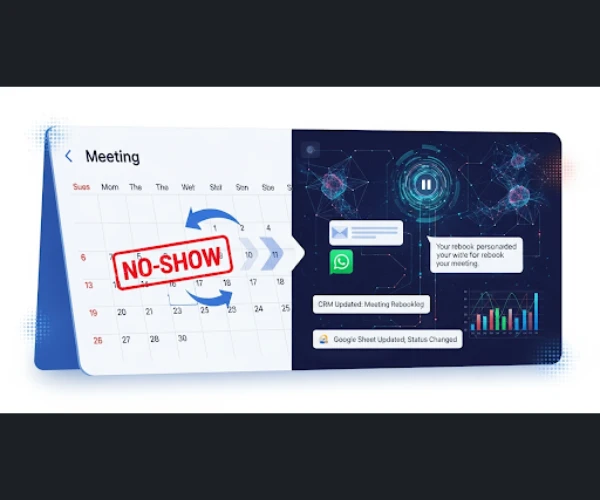
Auto-Scheduler Bot
Key Features
AI-Powered Natural Language Scheduling
Simply ask the bot: “Find a 30-minute time with Jane Doe next week.” The AI understands and handles the rest via email.
Intelligent Time Negotiation
The bot emails the prospect with your availability, finds a mutually agreeable time, and can even handle rescheduling requests automatically.
Automated Calendar Sync & Buffers
It syncs with your calendar in real-time, automatically adding meeting links (Zoom, Google Meet) and respecting travel or prep-time buffers you’ve set .
Use Cases
Auto-Scheduler Bot
A Financial Advisory Team
Increased their number of new client meetings by 30% by removing the friction of scheduling.
A B2B Sales Rep
Reclaimed an average of 5 hours per week that was previously spent on scheduling logistics, re-investing that time into prospecting.
A Recruiting Firm
Coordinated complex, multi-person interview panels automatically, reducing the average time-to-schedule from 3 days to under 2 hours.
More Agent Template
Auto-create leads from inbound emails
Extracts lead data from incoming emails and auto-creates CRM entries with scoring and assignment.
Auto-log calls & emails
Automatically logs calls and emails into CRM, linking them to the correct lead or deal.
Auto-generate personalized proposals
Creates customized proposals using lead data, pricing logic, and branded templates.
LinkedIn prospect scraping & outreach
Pulls contact data from LinkedIn profiles and automates outreach messages.
Multi-language support agents
Communicates with leads in their preferred language across channels.
Event Follow-up Agent
Sends follow-ups after webinars, expos, or demos with personalized messaging.
Upsell/Cross-sell Agent
Identifies upsell and cross-sell opportunities based on customer data.
Auto-Scheduler Bot
Value Proposition
Eliminate all back-and-forth scheduling.
Reduce meeting no-shows with automated reminders.
Increase the number of meetings booked per rep.
Present a modern, professional scheduling experience.
FAQ
It connects directly to your Google Calendar or Outlook — sees real-time free/busy slots and suggests only times you’re actually open. You can set buffers, block lunch hours, or limit meeting types
Manual scheduling wastes hours every week. An Auto-Scheduler Bot helps companies, clinics, and consultants reduce no-shows, streamline bookings, and improve customer experience. It’s especially useful for healthcare, sales teams, and remote businesses where time zones cause confusion.
Yes. The bot automatically detects the user’s time zone and adjusts availability. Whether you’re in New York, London, or Mumbai, your clients will always see correct appointment slots in their local time.
Unlike manual booking, an Auto-Scheduler Bot reduces back-and-forth emails, prevents double-booking, and sends automated reminders. This boosts productivity and ensures higher attendance rates.
Absolutely. Local businesses such as wellness clinics, fitness centers, law firms, and coaching services use AI scheduling bots to automate bookings. This gives them more time to focus on customers rather than chasing appointments.
Automate with AI
Start your free trial today.
Stop scheduling, start meeting. Let our AI handle the calendar so you can focus on the conversation. Activate your Auto-Scheduler today.
CRM Software has this features:
Every business does things a little bit differently, leading to very diverse needs. While there are some functions that are quite standard across the board, there are often functions that an out-of-the-box solution may not be able to handle.
Thousands of businesses do not use their CRM to its maximum effect, which can reduce productivity, customer satisfaction, and sales. It can be difficult for an organization to implement or manage a CRM tool, especially if they lack the required IT expertise, and what works well for another organization may not work so well for yours
Archiz CRM will Help you with Following features